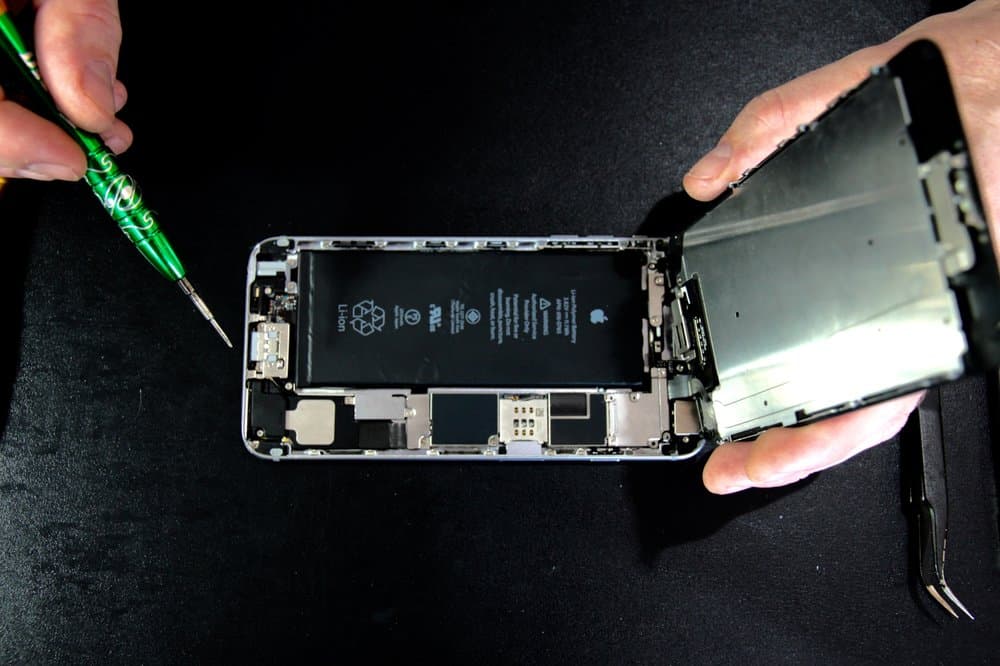
iPhone battery replacement cost at Nova Fix runs from $49.99 to $130 for listed models. On iPhone 12, 13 and 14 models, Apple's estimate is often the same or lower than ours, so compare first. On older phones we usually cost less, and you can wait while we do it.
A battery is the one repair where we will often tell you to check Apple first. Most people assume the local shop is always cheaper. On batteries, that is not true, and the honest comparison depends on how old your phone is.
What we charge
Listed prices at our West Town shop run from $49.99 to $130. Most swaps happen while you wait. iPhone 15, 16, 17, 18 and Duo are quoted by phone, so call (773) 741-6682.
| Model | Nova Fix | Apple's estimate, read November 5, 2026 |
|---|---|---|
| iPhone 14 Pro Max | $100 | About the same |
| iPhone 14 Plus | $100 | About the same |
| iPhone 14 | $110 | A little lower than ours |
| iPhone 13 Pro Max | $130 | Around 30 percent lower than ours |
| iPhone 13 Pro | $99.99 | A little lower than ours |
| iPhone 12 Pro Max | $99.99 | A little lower than ours |
| iPhone 12 and 12 Pro | $99.99 | A little lower than ours |
| iPhone 12 mini | $99.99 | A little lower than ours |
| iPhone 11 Pro Max | $119.99 | Around 25 percent lower than ours |
| iPhone 11 Pro | $99.99 | A little lower than ours |
| iPhone 11 | $89.99 | About the same |
| iPhone XS and XR | $69.99 | Around 25 percent higher than ours |
| iPhone X | $69.99 | Not on Apple's estimator |
| iPhone SE (2nd gen) | $49.99 | Around 40 percent higher than ours |
Apple's figures come from its iPhone battery service page, which shows the exact number for each model. They can change, and they may be subject to tax and a shipping fee if Apple has to mail the phone. Every other repair is on our full price list.
So why would you come to us?
If Apple's number is lower and you can get a slot, Apple is a sensible choice. It keeps your service record clean and uses Apple's part.
You come to us when the phone cannot wait for an appointment, when you do not want to mail it, when Apple's estimator no longer covers your model, or when something else also needs fixing. A battery and a screen done in one visit is one trip, one price conversation and one time without your phone. Older phones are the other case: on the XS, XR and SE, we usually cost less.
Check that the battery is really the problem
Open Settings, tap Battery, then Battery Health. On iPhone 14 and earlier, it is listed as Battery Health & Charging. Apple says iPhone 14 and earlier batteries are designed to keep 80 percent of their capacity at 500 full cycles, and iPhone 15 models at 1000. That is why a two-year-old iPhone 13 can read lower than a two-year-old iPhone 15 used the same way.
A few patterns point at the battery and not at software:
- The phone shuts off at 20 or 30 percent, then comes back on the charger with a higher reading.
- It slows down noticeably in the cold or under load.
- Drain got worse gradually over months, not suddenly after an update.
Sudden drain after an update is usually not the battery, and our guide to the iPhone not charging problem covers the opposite case. A new battery will not fix a bad port, a cracked screen or a board fault.
Is the money worth it?
Think in cost per extra year, not the iPhone battery price on its own. If a battery buys you two more years on a phone that still gets iOS updates, it is the cheapest year of phone ownership you can buy, because nothing else about the phone has to change.
The math turns against it when your model is close to the end of iOS support, or when the screen is also cracked and the two repairs together approach what a working used phone sells for.
If your phone is under warranty and the battery is defective, or your AppleCare plan is active and capacity is under 80 percent, Apple's price beats everyone's. Check that first.
Should you try a DIY kit?
iPhone batteries are held in with strong adhesive, and prying at a lithium cell can puncture it, which is a fire risk. You can also tear a display cable on the way in, and the water seal needs replacing properly afterward.
If you still want to do it yourself, use Apple's Self Service Repair program, which provides the manuals and parts. For anything else, see how the swap works on our iPhone battery page.