MacBook Repair in Chicago
We fix MacBook Air and MacBook Pro screens, batteries, keyboards, liquid damage and logic boards on Chicago Ave, or by mail. Have your model and year ready and we can price it on the phone.
- Starting price
- $99.99
- Turnaround
- 1 to 3 business days for most repairs
Do you need this repair?
- Won't turn on, or only runs on the charger
- Service Recommended under Battery settings
- Cracked screen, lines, or a dark screen that still makes sounds
- Stage light effect along the bottom of the display
- Keys that stick, repeat or stop responding
- A spill, even if the Mac still seems fine
- Prohibitory sign, question mark folder or a looping start
How much does computer service cost?
| Computer service | Price |
|---|---|
| macOS installation | $99.99 |
| Windows installation | $99.99 |
| MacBook Flexgate fix | $250 |
How much does MacBook screen replacement cost?
| MacBook screen replacement | Price |
|---|---|
| MacBook Air, MacBook Pro | Call for price |
How much does MacBook battery replacement cost?
| MacBook battery replacement | Price |
|---|---|
| MacBook Air, MacBook Pro | Call for price |
How much does data recovery cost?
| Data recovery | Price |
|---|---|
| Mac | $200 |
| Windows computer | $200 |
| Phone or tablet | Call for price |
Prices updated November 4, 2026.
Get my price
Tell us what happened and we will email you a price. Add a photo if you have one.
- You get the price before we start
- 90-day warranty on parts
- Walk-ins welcome, no appointment needed
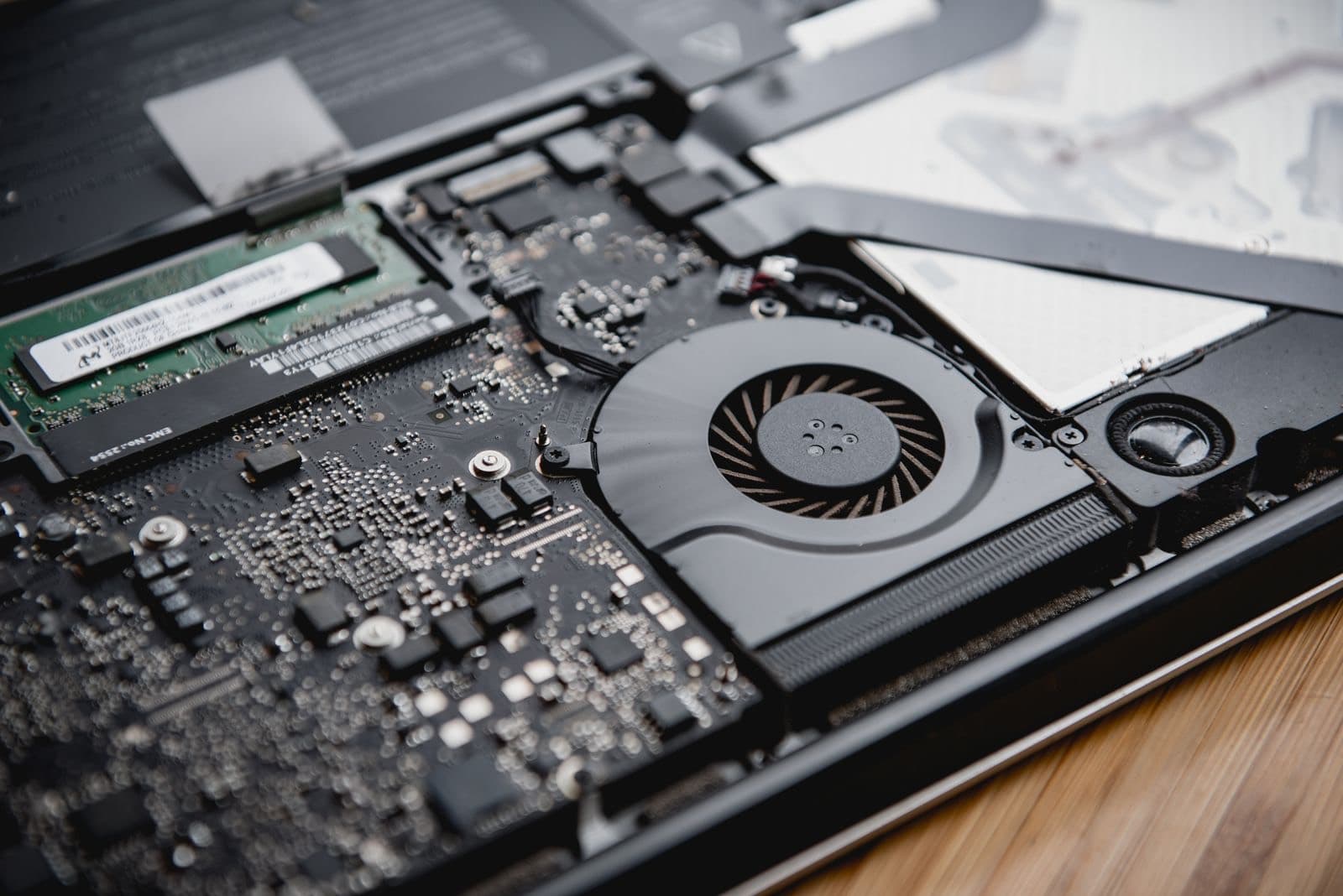
A MacBook that won't work usually isn't dead. It has a tired battery, a damaged display cable or a spill that reached one part of the board. MacBook repair starts with working out which, and at our shop on Chicago Ave in West Town that test comes before the price.
We work on MacBook Air and MacBook Pro models, Intel and Apple silicon. Most repairs take 1 to 3 business days. Screen and battery prices depend on your exact model and year, so they read Call for price in the tables on this page. A macOS install is $99.99 and a Flexgate fix is $250. Need a Windows laptop looked at? See computer and laptop repair.
Which fault do you have?
The symptom usually points to the repair, as long as you read it carefully.
- Black screen, but you hear the startup chime or the keyboard lights up. The Mac is running. Plug in an outside monitor. A picture there means the fault is the display or its cable, not the board.
- Nothing at all, even on the charger. Try a different charger and cable first, and hold the power button for 10 seconds. After that, it is a battery or board question.
- Works only when plugged in. The battery has usually worn out, or it has stopped reporting properly. See MacBook battery replacement.
- A folder with a question mark. The Mac can't find its startup disk. That might be software, or it might be the drive.
- Trackpad lifting or the case not sitting flat. Stop using it and stop charging it. That is a swollen battery, and it needs to come out.
Screens and Flexgate
A cracked MacBook screen means a new display assembly, because the glass and panel are one part on modern models. It is the most expensive common repair on the machine, so compare it with the value of the Mac before you say yes. Our guide to MacBook screen replacement cost walks through that.
Flexgate is a different fault. On some 2016 to 2018 MacBook Pro models, a thin cable behind the display wears out from opening and closing the lid. You see uneven light along the bottom edge, the stage light effect, and later the backlight dies. We fix that without replacing the whole screen, at $250.
MacBook logic board repair
When something fails on the board, Apple's normal answer is to replace the board or the whole top assembly. We can often repair the one thing that failed instead, because we do micro soldering in house. MacBook logic board repair suits faults like no power, a charging circuit that died after a bad cable or liquid on one corner of the board.
It also matters for your files. On recent MacBooks the storage is soldered to the board and tied to it by encryption. Replace the board and the data goes with it. Repair the board and the data usually stays where it was.
Not every board can be saved. Heavy corrosion or a failed main chip can rule it out, and we will say so before you pay for a repair.
Keyboards and batteries
Butterfly keyboards on 2015 to 2019 models are known for sticking keys, and dust is often the only cause. Clean those first. Batteries on newer MacBooks are glued in, so removal takes time and care. Neither job is one to try at home if you can't afford to damage what sits next to it.
Our MacBook repair price is set by the model and the part, and we confirm it once we have looked at the Mac.
When Apple is the better call
Go to Apple first if your Mac is under warranty or AppleCare. Check your coverage at checkcoverage.apple.com with your serial number. Apple also runs service programs for specific known faults from time to time, and those can be free, so look yours up before paying anyone. That includes us.
If your Mac is more than about seven years old, Apple may no longer stock parts for it. That is often where an independent shop can still help.
Why bring it here
You speak to the person doing the work, you get a price before anything is opened, and your Mac doesn't leave the building for a depot. We go to the board when that is what the Mac needs, so MacBook repair in Chicago doesn't have to end with a new computer.
Can't get to West Town? Mail it in from anywhere in the US. Parts carry our 90-day warranty, and labor may apply. Liquid damage repairs carry 30 days. Files first? See data recovery.
How does the repair work?
1
Find your model
Apple menu, then About This Mac. The year and size set the parts.
2
We confirm the fault
We test the battery, display, storage and board before quoting.
3
Approve the price
You see the number first. Back up now if the Mac still starts.
4
Repair and test
We fix it and run it under real use before you pick it up.
Should you use Nova Fix, the Apple Store or mail-in?
| Nova Fix | Apple Store | Mail-in service | |
|---|---|---|---|
| Wait | Walk in. Most screens in about 30 minutes | Appointment usually needed | Days in the mail each way |
| Price | Listed on this site before you come | Listed on Apple's site | Varies, plus shipping |
| Board-level repair | Done here, in house | Usually swaps the device | Depends on the service |
| Warranty | 90 days on parts (30 on water damage) | Apple's repair warranty | Varies |
| Best for | Speed, older devices, board faults | Devices under AppleCare | No shop nearby |
What do customers say?
4.5 out of 5 from 121 reviews on Google Maps
- Tram Le
5 out of 5, 3 months ago
Needed my laptop keyboard replaced, but I couldn’t be without my laptop for a few days. I bought the replacement keyboard on Amazon and found him through Yelp. After watching a YouTube video, I quickly realized it was more complicated than I wanted to tackle myself! He replaced the keyboard within a couple of hours, and I picked it up the same day. Straightforward, fast, and clearly knows what he’s doing. Highly recommend!
View on Google Maps - A
5 out of 5, 10 months ago
Came in with a iPhone SE 2016 with 64% battery health. Was told at another store that they wouldn’t be able to help. At Nova Fix Alex fixed it for me in under an hour for $60! Super worth it, fast and efficient!! Thank you!
View on Google Maps


What do people ask us?
Is it worth repairing an old MacBook?
Check two things: the macOS version it can run and the size of the repair. A battery on a Mac that still gets updates is nearly always worth it. A screen or logic board on a Mac Apple has stopped updating usually isn't. Give us the model and year, and we will tell you which side yours falls on.
Should I take my MacBook to Apple instead?
If it is under AppleCare or Apple's limited warranty, yes, go there first, because a covered repair will cost you less than ours. Come to us when coverage has ended, when Apple quotes a full board or top case swap, or when you need the Mac back quickly and don't want to lose your files.
Can you fix liquid damage on a MacBook?
Often. Shut it down, unplug it and leave it off. Don't turn it upside down and shake it, and don't test it. Corrosion keeps spreading while the board sits, so the first day or two matter. We open it, clean the board and repair what failed. Liquid damage repairs carry a 30-day warranty.
Will I lose my files?
A screen, battery or keyboard repair doesn't touch your storage. A logic board fault is different, because recent MacBooks keep their storage on the board and encrypt it. If the Mac won't start and your files aren't backed up, tell us before anything else, and we will plan the repair around getting them back.
Can you repair the keyboard without replacing the whole top case?
It depends on the model. On many MacBooks the keyboard is riveted into the top case, so a full swap is a long job. Single stuck or dead keys can often be cleaned or replaced on their own. We look at yours first, because a repeat key is sometimes dirt under one cap and nothing more.
How long does MacBook repair take?
Most repairs take 1 to 3 business days. An operating system install is often the same day. A battery is usually the same or next day when we have the part. Board-level work and liquid damage take longer, because finding the fault is most of the job. You get a time along with the price.
Bring it in today.
Walk in during open hours or book a time. You get the price before we start.