Computer Repair in Chicago
We fix MacBooks and Windows laptops on Chicago Ave: screens, batteries, keyboards, liquid damage, operating system installs and data recovery. Tell us what the computer is doing and we will tell you what it needs.
- Starting price
- $99.99
- Turnaround
- 1 to 3 business days for most laptops
Do you need this repair?
- Laptop won't turn on, or powers on with a black screen
- Cracked, flickering or dim display
- Battery drains fast or the laptop only runs plugged in
- Keys that stick, repeat or do nothing
- Stuck at the logo, or a blue screen on every start
- Painfully slow, full of pop-ups or out of drive space
- Coffee, water or wine went into the keyboard
How much does computer service cost?
| Computer service | Price |
|---|---|
| macOS installation | $99.99 |
| Windows installation | $99.99 |
| MacBook Flexgate fix | $250 |
How much does data recovery cost?
| Data recovery | Price |
|---|---|
| Mac | $200 |
| Windows computer | $200 |
| Phone or tablet | Call for price |
Prices updated November 4, 2026.
Get my price
Tell us what happened and we will email you a price. Add a photo if you have one.
- You get the price before we start
- 90-day warranty on parts
- Walk-ins welcome, no appointment needed
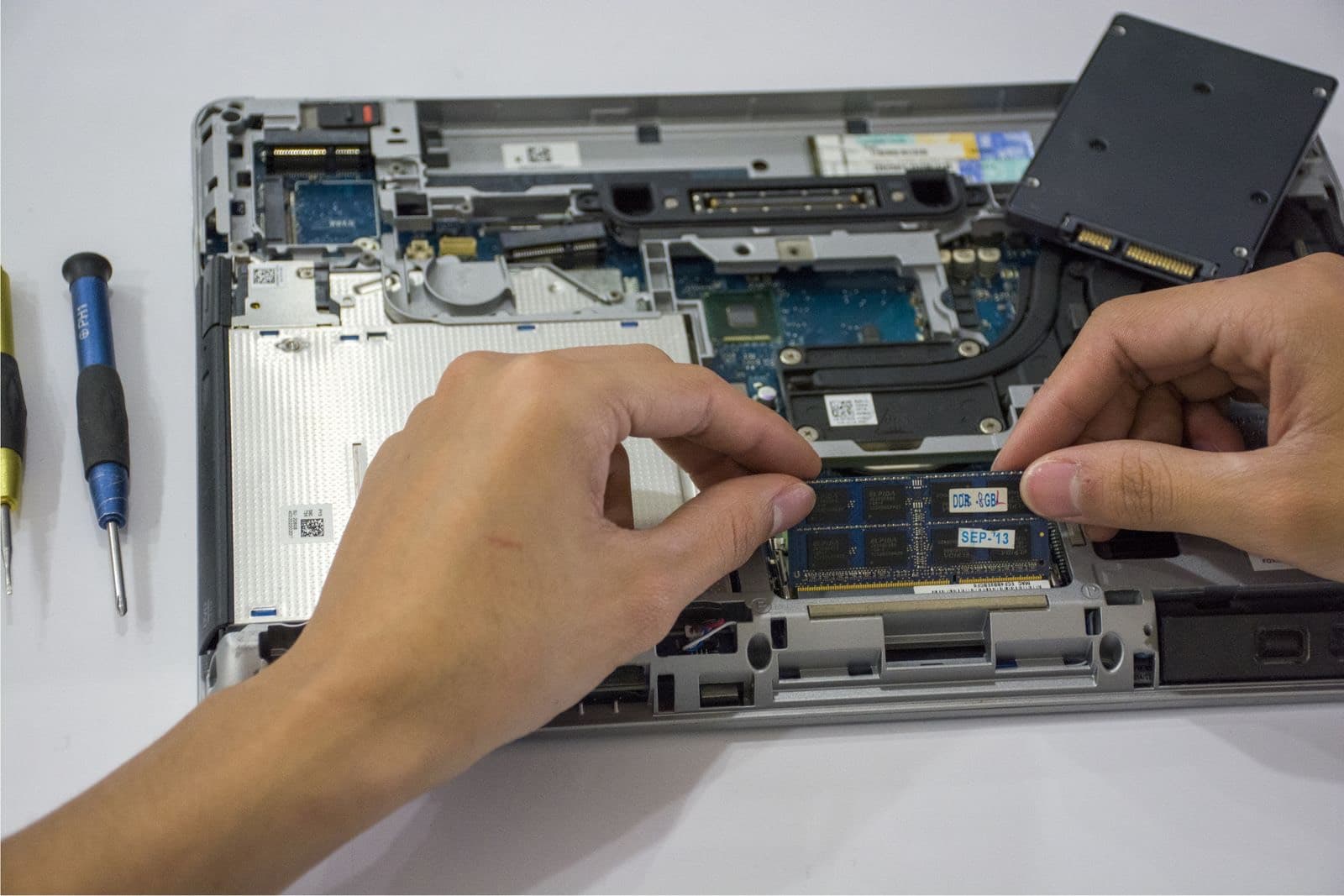
A computer that stops working on a Tuesday night usually comes down to one of five things: power, the battery, the display, the drive or the operating system. Good computer repair means testing those in order instead of guessing, and that is how we work at 1927 W Chicago Ave in West Town.
We take MacBooks and Windows laptops. Most laptops are done in 1 to 3 business days, and an operating system install starts at $99.99. If you want computer repair in Chicago without mailing your machine to a depot, walk in during open hours and bring the charger with you.
What we fix on laptops
- MacBooks. Air and Pro screens, batteries, keyboards, liquid damage and logic boards. The MacBook repair page goes model by model.
- Windows laptops. Screens, batteries, keyboards, charging ports, drives and memory on common brands like Dell, HP, Lenovo, ASUS and Acer. Tell us the exact model, because the same brand can use very different parts from one year to the next.
- Operating systems. A clean macOS or Windows install at $99.99, for machines that won't boot, crawl along or are full of malware.
- Data. Data recovery from Mac and Windows computers that won't start, at $200.
- Board faults. No power, no charging and liquid damage on the main board, through our micro soldering work.
Desktops are a case-by-case job. Ask us before you carry a tower across town. Call (773) 741-6682 with the make and what it is doing, and we will tell you whether to bring it.
What we check first
Laptop repair goes wrong when someone replaces the most obvious part. These are the checks that stop you paying for the wrong repair.
- Is the charger the real problem? A failing charger looks exactly like a dead laptop. We try a known good one before anything else.
- Does it power on at all? Fans, keyboard lights and the charging light all tell us different things. A laptop that shows lights but no picture is a different job from one that shows nothing.
- Is the display dead or just dark? Plug into an outside monitor. If the picture shows up there, the computer is alive and the fault is the screen or its cable.
- Is the drive healthy? A worn drive causes freezes, long start times and blue screens, and people often mistake it for a virus. We check it before we recommend a reinstall.
- Is there liquid inside? Spills don't always show on the outside. We open the case and look for corrosion before quoting.
You can try the outside monitor test at home with an HDMI cable. It takes two minutes and it tells you a lot.
Slow is not the same as broken
A slow computer has a short list of causes. The drive is nearly full, the drive is failing, there isn't enough memory, or something is running in the background that shouldn't be. Older laptops with spinning hard drives feel new again after a move to a solid state drive, when the model allows it. Many newer laptops have memory and storage soldered to the board, which rules that upgrade out, so check before you plan around it.
A clean install helps when the software is the problem. It does not help a failing drive. That is why we test first.
What does laptop repair cost?
Three things move the price of a computer repair: the part, how far the laptop has to come apart, and whether the fault sits on a part you can swap or on the board. Thin laptops with glued batteries or fused displays take longer than older machines with a row of screws.
Our set prices are in the tables on this page. Everything else is quoted by model, because a screen for one laptop can cost several times what a screen for a similar laptop costs. If the repair comes close to what a decent replacement would cost, we will say so. See every listed price on the pricing page.
When it isn't worth repairing
Skip the repair if the computer no longer gets security updates and you would have to spend more than a small fix. Skip it too if two or three things are failing at once. In either case, your files are usually still worth saving. Tell us and we will get them off before you retire the machine.
If your laptop is still under warranty, or you have AppleCare, go to the manufacturer first. A covered repair costs you less than ours, and opening the case can complicate that claim.
Can't get to West Town?
You don't have to live nearby for computer repair. Laptops can come to us through mail-in repair, and we quote the job before we start. Parts carry our 90-day warranty, labor may apply, and liquid damage repairs carry 30 days. From Humboldt Park or Wicker Park, we are a short trip down Chicago Ave.
How does the repair work?
1
Tell us the symptoms
Bring the laptop and its charger. Tell us when it started and what changed.
2
We test it
We check power, battery, display, storage and memory, in that order.
3
Hear the price
You get the fault and the price. Nothing is repaired until you say yes.
4
Repair and burn in
We fix it, then run it long enough to confirm the fault is gone.
Should you use Nova Fix, the device maker or mail-in?
| Nova Fix | Device maker | Mail-in service | |
|---|---|---|---|
| Wait | Walk in. Most screens in about 30 minutes | Often a mail-in or an appointment | Days in the mail each way |
| Price | Listed on this site before you come | Varies by brand and coverage | Varies, plus shipping |
| Board-level repair | Done here, in house | Usually swaps the device | Depends on the service |
| Warranty | 90 days on parts (30 on water damage) | The maker's repair warranty | Varies |
| Best for | Speed, older devices, board faults | Devices still under warranty | No shop nearby |
What do customers say?
4.5 out of 5 from 121 reviews on Google Maps
- Tram Le
5 out of 5, 3 months ago
Needed my laptop keyboard replaced, but I couldn’t be without my laptop for a few days. I bought the replacement keyboard on Amazon and found him through Yelp. After watching a YouTube video, I quickly realized it was more complicated than I wanted to tackle myself! He replaced the keyboard within a couple of hours, and I picked it up the same day. Straightforward, fast, and clearly knows what he’s doing. Highly recommend!
View on Google Maps - A
5 out of 5, 10 months ago
Came in with a iPhone SE 2016 with 64% battery health. Was told at another store that they wouldn’t be able to help. At Nova Fix Alex fixed it for me in under an hour for $60! Super worth it, fast and efficient!! Thank you!
View on Google Maps


What do people ask us?
How much does a computer repair usually cost?
It depends on the fault more than the brand. A macOS or Windows install is $99.99, and data recovery from a computer is $200. Screens, batteries and keyboards are priced by model, because the parts vary so much. Send us your exact model and we will give you a number before you drive over.
Is a 10 year old computer worth fixing?
Usually only for a cheap fix. A new battery, a solid state drive or a clean install can make sense if the machine still does what you need. Past that, check whether it still gets security updates. If it doesn't, put your money toward a newer computer, and let us move your files across first.
Do you repair desktop PCs and iMacs?
Ask us first. Laptops are our main computer work, and we take desktops case by case, depending on the fault and the parts. Call or send a quote request with the make, the model and what it is doing, and we will tell you straight away whether to bring it in.
Will I lose my files?
Most hardware repairs don't touch your files, but back up first if the computer still starts. An operating system install does erase the drive unless we plan around it, so tell us what you need to keep. Nova Fix is not responsible for data loss during repair, which is why we ask before starting.
Can you fix a slow computer or remove a virus?
Yes, in most cases. We check the drive and the memory first, because a failing drive looks just like a slow computer. For a machine full of pop-ups or malware, a clean install of macOS or Windows is the reliable fix, at $99.99. We help you save your files before we wipe anything.
How long does laptop repair take?
Most laptops take 1 to 3 business days. An operating system install is often done the same day. Parts we need to order, liquid damage and board-level faults take longer, and we give you a time when we give you the price. If you need it back by a set day, say so at drop-off.
Bring it in today.
Walk in during open hours or book a time. You get the price before we start.