iPhone Charging Port Repair in Chicago
We fix iPhone charging ports the same day in most cases, starting at $89.99. We test the cable and clean the port first, so you only pay for a new port if you need one.
- Starting price
- $89.99
- Turnaround
- Same day for most repairs
Do you need this repair?
- The cable feels loose or falls out
- It only charges at a certain angle
- Charging starts and stops on its own
- Your computer no longer sees the phone
- Wireless charging works but the cable does not
- Callers say you sound far away, along with a charging fault
How much does iPhone charging port replacement cost?
| iPhone charging port replacement | Price |
|---|---|
| iPhone 14 Pro Max | $150 |
| iPhone 14 Plus | $130 |
| iPhone 14 | $130 |
| iPhone 13 Pro Max | $150 |
| iPhone 13 Pro | $129.99 |
| iPhone 12 Pro Max | $130 |
| iPhone 12 and 12 Pro | $149.99 |
| iPhone 12 mini | $129.99 |
| iPhone 11 Pro Max | $129.99 |
| iPhone 11 Pro | $119.99 |
| iPhone 11 | $119.99 |
| iPhone XS Max | $99.99 |
| iPhone XS | $99.99 |
| iPhone XR | $99.99 |
| iPhone X | $99.99 |
| iPhone SE (2nd gen) | $89.99 |
| iPhone Duo, iPhone 18 Pro Max, iPhone 18 Pro, iPhone 17 Pro Max, iPhone 17 Pro, iPhone 17, iPhone 16 Pro Max, iPhone 16 Pro, iPhone 16 Plus, iPhone 16, iPhone 15 Pro Max, iPhone 15 Pro, iPhone 15 Plus, iPhone 15, iPhone 14 Pro, iPhone 13, iPhone 13 mini | Call for price |
Prices updated November 4, 2026.
Get my price
Tell us what happened and we will email you a price. Add a photo if you have one.
- You get the price before we start
- 90-day warranty on parts
- Walk-ins welcome, no appointment needed
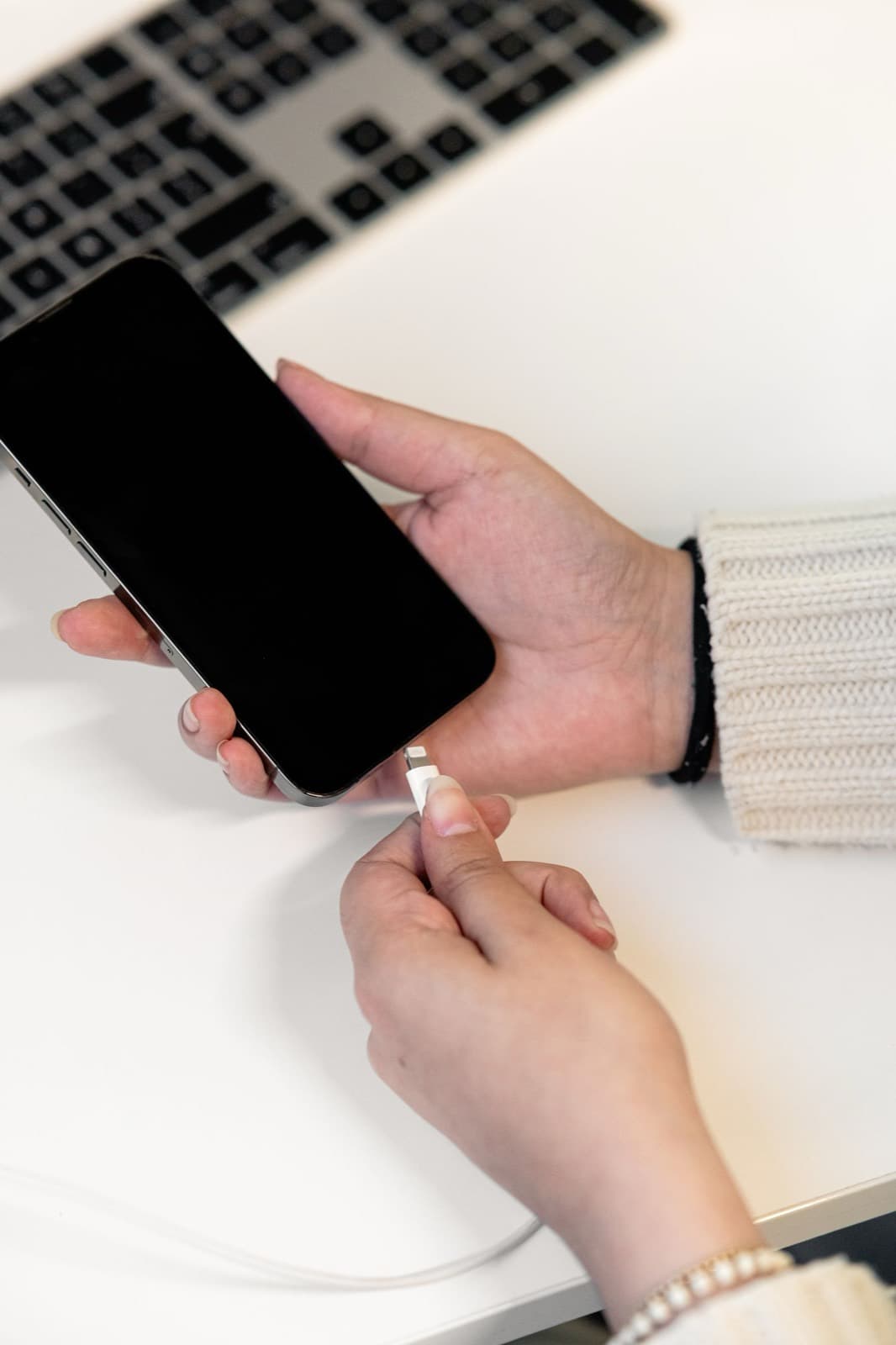
When an iPhone won't charge, the port gets the blame first, and it's often innocent. Plenty of phones just need a new cable or a careful cleaning. iPhone charging port repair at our shop on Chicago Ave starts with testing, so you only pay for a new part if the old one has really failed.
Port replacements start at $89.99, and most are done the same day. Port cleaning and cable testing take a few minutes. We show you what we found and let you decide.
Is it the cable, the port or the board?
Run this test at home before you bring it in. It costs nothing.
- Swap the cable and the charger. Use a pair you know work on another phone. Cheap cables fail more often than ports do, and a frayed end can look fine.
- Look in the port with a flashlight. Packed lint is common. If you see it, bring it in or use a wooden toothpick very gently with the phone off. Never use metal, and never use liquid.
- Try wireless charging. If the phone charges on a pad, the battery is probably fine and the port is the likely fault. If it won't charge either way, the battery or the board may be involved.
- Plug into a computer. If the phone charges but the computer can't see it, the data pins in the port or the cable are the likely problem.
- Force restart it. Software hangs can stop charging, and a restart is the cheapest fix there is.
Our guide on what to do when an iPhone is not charging has more fixes to try.
What the symptoms tell us
Each pattern points somewhere different.
- Charges only at an angle. Worn contacts or lint. It's a port or cleaning job.
- Accessory not supported message. A bad cable, dirt in the port or a damaged contact.
- Charges very slowly. It might be a weak adapter, a worn battery or a failing port.
- Stuck at the same percentage, or charging at 80%. That's often Optimized Charging or a charge limit in Settings. It isn't a fault.
- Dead with every cable, and nothing on a wireless pad. Likely a flat battery, or the charging chip on the board.
- Phone gets hot while plugged in. Unplug it. Liquid in the port can cause a short.
Clean it or replace it?
Cleaning comes first when debris is the cause. Replacement makes sense when the contacts are damaged, the port is loose, or liquid has corroded it. iPhone charging port replacement involves more than the socket, because the port sits on a flex cable that also carries the bottom microphone on most models. So a phone with a weak charge and a faint microphone can have one failed part. The phone has to be opened almost as far as a screen repair, and we reseal it afterward.
If the port tests fine and the phone still won't charge, the fault may be on the logic board. We handle that in house through our micro soldering and board repair service.
Lightning and USB-C models
iPhone 14 and earlier use Lightning. iPhone 15 and later use USB-C. The same test applies to both, and USB-C ports collect lint in the same way, so don't assume a newer phone has a failed part. USB-C has one extra catch: the center tongue is thin and can bend if a cable goes in at an angle. If you see it bent, stop plugging things in, because a bent tongue can damage cables too.
Every cable isn't equal on USB-C either. Some cables and adapters are made for slow charging or data only, and a weak one won't reach full speed.
What it costs
Prices by model are in the table on this page, starting at $89.99. Rows that read Call for price are models we still repair. Call (773) 741-6682 and we will confirm today's price. Every part carries our 90-day warranty, and labor may apply.
If your phone got wet before the charging problem began, skip the port and read about water damage repair, because the port may be the only part showing symptoms so far. Battery holding up badly as well? Do them together: the phone is already open, and you can see iPhone battery prices here. See the iPhone repair page for everything else we fix.
How does the repair work?
1
Rule out the cable
We try a known good cable and charger, then look inside the port.
2
Hear the price
You hear what is wrong and what it costs before any work starts.
3
Clean or replace
We clean the port or replace it, depending on what we found.
4
Confirm charging
We confirm charging and data on the bench before you pick it up.
Should you use Nova Fix, the Apple Store or mail-in?
| Nova Fix | Apple Store | Mail-in service | |
|---|---|---|---|
| Wait | Walk in. Most screens in about 30 minutes | Appointment usually needed | Days in the mail each way |
| Price | Listed on this site before you come | Listed on Apple's site | Varies, plus shipping |
| Board-level repair | Done here, in house | Usually swaps the device | Depends on the service |
| Warranty | 90 days on parts (30 on water damage) | Apple's repair warranty | Varies |
| Best for | Speed, older devices, board faults | Devices under AppleCare | No shop nearby |
What do customers say?
4.5 out of 5 from 121 reviews on Google Maps
- Tram Le
5 out of 5, 3 months ago
Needed my laptop keyboard replaced, but I couldn’t be without my laptop for a few days. I bought the replacement keyboard on Amazon and found him through Yelp. After watching a YouTube video, I quickly realized it was more complicated than I wanted to tackle myself! He replaced the keyboard within a couple of hours, and I picked it up the same day. Straightforward, fast, and clearly knows what he’s doing. Highly recommend!
View on Google Maps - A
5 out of 5, 10 months ago
Came in with a iPhone SE 2016 with 64% battery health. Was told at another store that they wouldn’t be able to help. At Nova Fix Alex fixed it for me in under an hour for $60! Super worth it, fast and efficient!! Thank you!
View on Google Maps


What do people ask us?
How much does iPhone charging port repair cost?
Charging port replacement starts at $89.99 and depends on the model. The table on this page lists each iPhone we have a set price for. If yours is not listed, call us or send a quote request and we will give you the price before any work starts.
Can a dirty port stop an iPhone from charging?
Yes. Pocket lint packs into the bottom of the port over time, and the cable stops seating all the way. It is one of the first things we check, because a careful cleaning can bring the phone back without a new part. Never use a metal tool to clean it yourself.
How long does a charging port repair take?
Most charging port repairs are finished the same day. If the fault turns out to be on the board and not in the port, it can take a few business days, and we will tell you before going further. Call ahead if you need the phone back by a set time.
What if the port is not the problem?
Then we say so. A worn battery or a failed charging chip on the logic board can look just like a bad port. Port faults usually behave the same with every cable, while board faults often show other symptoms. We do board-level work here, so the phone does not have to leave the shop.
What does the liquid detected alert mean?
It means your iPhone found moisture in the port and stopped charging to protect itself. Unplug the cable, tap the phone gently with the port facing down and leave it somewhere dry for a few hours. If the alert keeps coming back on a dry phone, there may be corrosion in the port, so bring it in.
Bring it in today.
Walk in during open hours or book a time. You get the price before we start.