iPhone Battery Replacement in Chicago
We swap iPhone batteries on Chicago Ave while you wait, starting at $49.99. Most repairs are done the same day. You get the price before we start, and parts carry a 90-day warranty.
- Starting price
- $49.99
- Turnaround
- Same day for most models
Do you need this repair?
- Battery drains by mid-afternoon
- Phone shuts off with charge left
- Battery health under 80%
- Phone feels slow or runs hot
- Screen lifting from the frame, which can mean a swollen battery
How much does iPhone battery replacement cost?
| iPhone battery replacement | Price |
|---|---|
| iPhone 14 Pro Max | $100 |
| iPhone 14 Plus | $100 |
| iPhone 14 | $110 |
| iPhone 13 Pro Max | $130 |
| iPhone 13 Pro | $99.99 |
| iPhone 12 Pro Max | $99.99 |
| iPhone 12 and 12 Pro | $99.99 |
| iPhone 12 mini | $99.99 |
| iPhone 11 Pro Max | $119.99 |
| iPhone 11 Pro | $99.99 |
| iPhone 11 | $89.99 |
| iPhone XS Max | $69.99 |
| iPhone XS | $69.99 |
| iPhone XR | $69.99 |
| iPhone X | $69.99 |
| iPhone SE (2nd gen) | $49.99 |
| iPhone Duo, iPhone 18 Pro Max, iPhone 18 Pro, iPhone 17 Pro Max, iPhone 17 Pro, iPhone 17, iPhone 16 Pro Max, iPhone 16 Pro, iPhone 16 Plus, iPhone 16, iPhone 15 Pro Max, iPhone 15 Pro, iPhone 15 Plus, iPhone 15, iPhone 14 Pro, iPhone 13, iPhone 13 mini | Call for price |
Prices updated November 4, 2026.
Get my price
Tell us what happened and we will email you a price. Add a photo if you have one.
- You get the price before we start
- 90-day warranty on parts
- Walk-ins welcome, no appointment needed
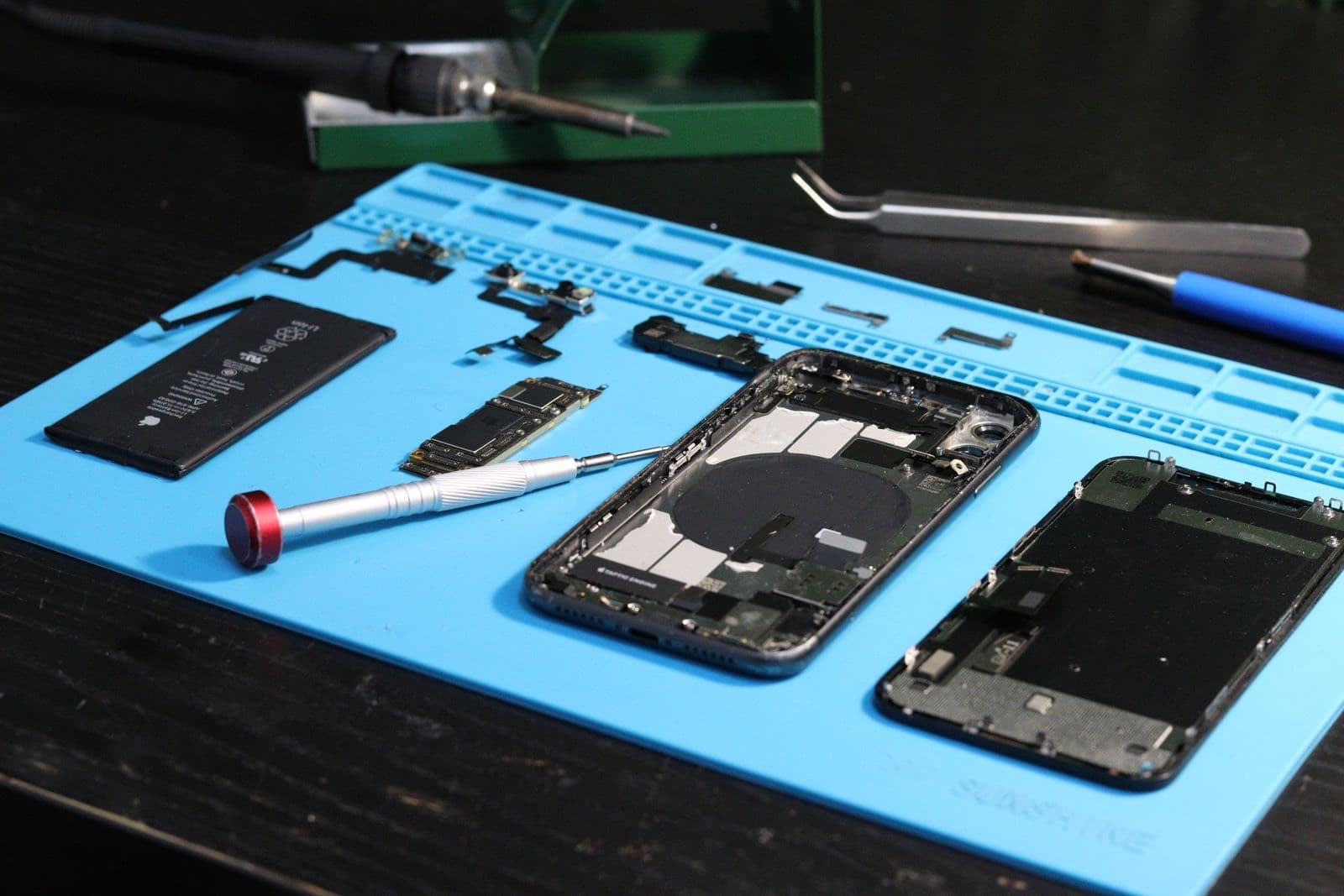
iPhone batteries are built to wear out. Each full charge takes a tiny bit of capacity with it, and after two or three years most phones start dying by dinnertime. The fix is cheap compared with a new phone. We do iPhone battery replacement at 1927 W Chicago Ave in West Town, usually while you wait, starting at $49.99.
Walk in during open hours, or book a time if you want the part set aside. If your iPhone runs out by mid-afternoon or shuts off at 20%, the battery is the first thing to check. The next section tells you whether you need this repair at all.
How to check iPhone battery health
Open Settings, then Battery, then Battery Health. Look at Maximum Capacity. That number compares what your battery holds today against what it held when new. iPhone 15 and later also show a cycle count in Settings, under General, then About.
Here is how to read it:
- 90% or higher. The battery is fine. If the phone still drains fast, look for an app using too much power under Settings, then Battery.
- 80% to 89%. It is normal wear. Replace it when you notice the phone can't get through your day.
- Under 80%. Apple treats this as a worn battery. You may also see a Service message on that screen.
- Peak performance message. If iOS says the phone shut down unexpectedly and it has applied performance management, your phone is slowing itself down to stay on. A new battery ends that.
A high number doesn't always clear the battery. An old iPhone at 85% can still shut off in the cold, and a Chicago January will show you that. Lithium batteries give less power at low temperature, and a worn one gives up first.
Battery or something else?
Not every drain is a tired battery, and it is worth ruling out the rest before you pay.
- Only drains during certain apps. It is the app or a software fault, not the battery.
- Drains fast after an iOS update. Give it a day or two. The phone re-indexes everything, and it settles down.
- Won't charge at all. That's more often the charging port or the cable.
- Gets hot while idle. It may be a board fault, and a new battery won't cure it.
- Dies at random with good health. That can be a failing charging circuit, so we check before swapping parts.
What it costs
The table on this page lists our battery price for each iPhone. An iPhone 11 is $89.99 and an iPhone 14 is $110, and our listed prices run up to $130. iPhone 15 and later read Call for price while we confirm parts. See all devices on our pricing page.
Compare with Apple's battery prices too. If your iPhone is under AppleCare with battery health below 80%, Apple replaces it at no charge, so check that first.
Battery or a new phone?
Do the math on what you get. A battery swap costs a small fraction of a new iPhone and buys you another year or two on a phone that already works, with your apps and photos untouched. For most people, that's the best-value repair in the shop.
The sums change in a few cases. If your phone no longer gets iOS updates, you will lose apps over time no matter how good the battery is. If it also has a cracked screen, add the two prices together before you decide. And if you were planning to trade it in this year, a new battery won't add much value.
What changes after an independent battery swap
iPhones check whether a battery went through Apple's calibration process. After we replace yours:
- A notice appears. On iPhone XR, XS and later you will see it after the first unlock and again five days later.
- Parts and Service History shows Unknown. You'll find it under Settings, General, About. It's a label, not a fault.
- The health reading may disappear. Maximum Capacity may show as unavailable rather than 100%. The phone still reports charge level and charges normally.
We tell you exactly what to expect on your model before you say yes. If keeping the health reading matters to you, or you are selling the phone, Apple's own service is the better route. If what you want is a phone that lasts the day again, ours does that.
We take the old battery out carefully and recycle it, so don't throw a swollen one in the trash. Parts carry our 90-day warranty, and labor may apply. See every other iPhone repair we do. For iPhone battery replacement in Chicago with no appointment, just walk in. No time to wait? Drop it off and come back when you are done on Chicago Ave.
Want to replace your iPhone battery yourself? It is possible, but the adhesive strips tear easily and a bent cell is a fire risk. We wouldn't recommend it unless you have done it before.
How does the repair work?
1
Confirm it's the battery
We look at battery health and rule out the port and the charger.
2
Get your price
You get the price for your model before we start.
3
Swap the battery
We open the phone, remove the old battery and fit the new one.
4
Check it works
We check charging and power on before you leave.
Should you use Nova Fix, the Apple Store or mail-in?
| Nova Fix | Apple Store | Mail-in service | |
|---|---|---|---|
| Wait | Walk in. Most screens in about 30 minutes | Appointment usually needed | Days in the mail each way |
| Price | Listed on this site before you come | Listed on Apple's site | Varies, plus shipping |
| Board-level repair | Done here, in house | Usually swaps the device | Depends on the service |
| Warranty | 90 days on parts (30 on water damage) | Apple's repair warranty | Varies |
| Best for | Speed, older devices, board faults | Devices under AppleCare | No shop nearby |
What do customers say?
4.5 out of 5 from 121 reviews on Google Maps
- Tram Le
5 out of 5, 3 months ago
Needed my laptop keyboard replaced, but I couldn’t be without my laptop for a few days. I bought the replacement keyboard on Amazon and found him through Yelp. After watching a YouTube video, I quickly realized it was more complicated than I wanted to tackle myself! He replaced the keyboard within a couple of hours, and I picked it up the same day. Straightforward, fast, and clearly knows what he’s doing. Highly recommend!
View on Google Maps - A
5 out of 5, 10 months ago
Came in with a iPhone SE 2016 with 64% battery health. Was told at another store that they wouldn’t be able to help. At Nova Fix Alex fixed it for me in under an hour for $60! Super worth it, fast and efficient!! Thank you!
View on Google Maps


What do people ask us?
How long does a battery swap take?
You can wait while we do it on most models, and most repairs are finished the same day. Plan on under an hour once it reaches the bench. How long it takes depends on your iPhone and how busy we are. Call before you come, or book a time online, and we can tell you what to expect.
Is 77% iPhone battery health bad?
It's worn, but it isn't dangerous. Under 80%, Apple considers a battery degraded, and your phone holds about three quarters of the charge it held when new. It may also slow itself down to avoid shutting off. If you are charging twice a day or seeing shutdowns, replace it. If the phone gets you through the day, you can wait.
Is a new battery worth it on an older iPhone?
Often, yes. A new battery can make an older iPhone last through the day again, and it costs far less than a new phone. If your iPhone no longer gets iOS updates or has other faults, talk to us first. We will tell you straight if the money is better spent elsewhere.
Will it show 100% health after the swap?
Not always. On iPhone XR, XS and later, a battery replaced outside Apple's process shows as Unknown in Parts and Service History, and the Maximum Capacity figure may read unavailable. The new battery still charges and holds power normally. If that reading matters to you, Apple's battery service is the way to keep it.
Is a swollen battery dangerous?
It can be. If your screen is lifting or the back is bulging, stop charging the phone and don't press on it. Swollen batteries should be handled carefully and replaced soon. Bring the phone in and we will take a look. Don't try to pry the phone open at home, because a punctured cell can catch fire.
How long will a new iPhone battery last?
Used normally, you can expect a couple of years of good life. Apple rates iPhone 14 and earlier batteries at 80% capacity after 500 full cycles, and iPhone 15 and later at 80% after 1,000. Heat is what shortens that most, so don't leave the phone in a car or play games on the charger.
Bring it in today.
Walk in during open hours or book a time. You get the price before we start.