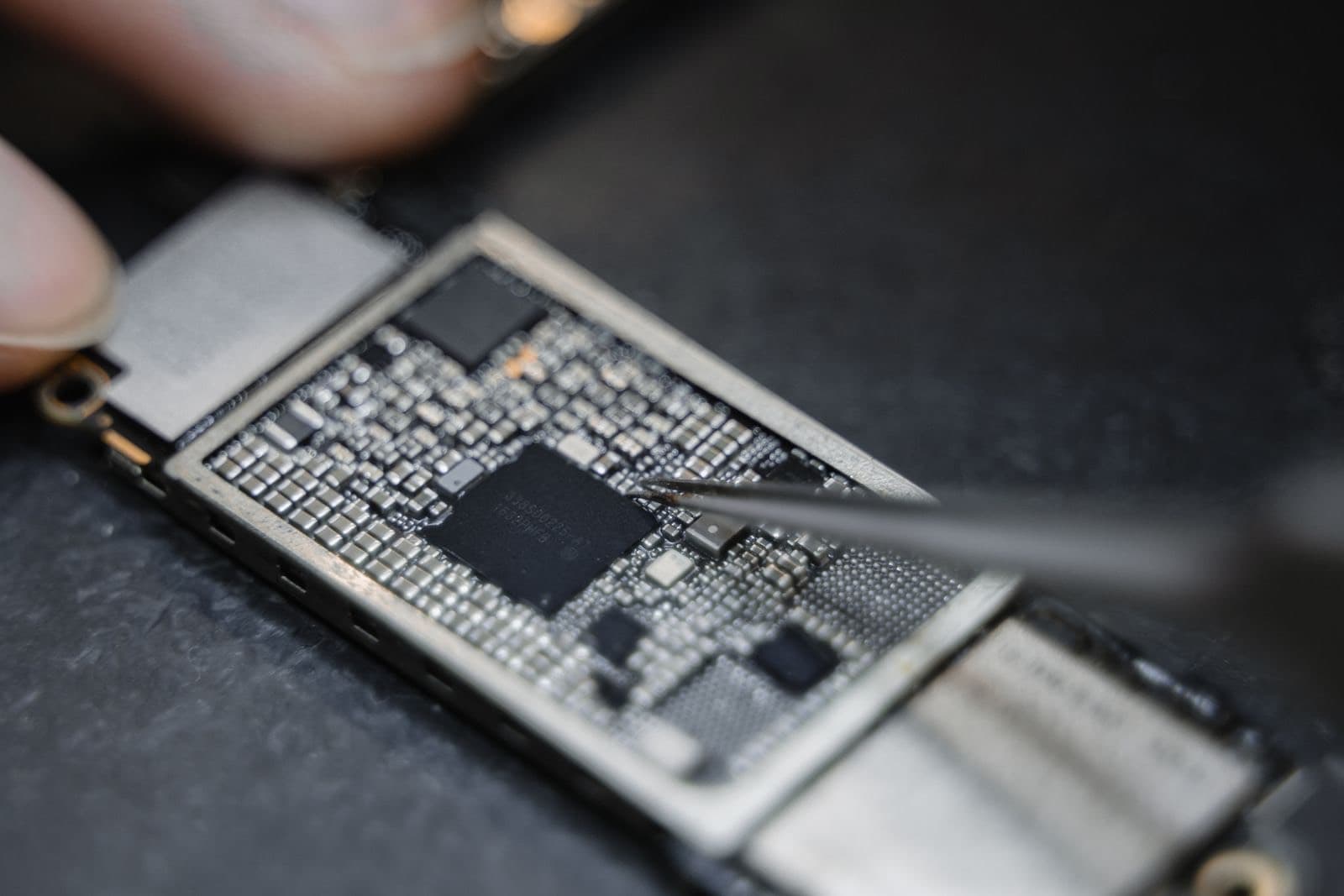
Here is how to recover data from a dead phone: check iCloud or your Google account from another device first, because your photos may already be backed up. Then check any computer backups. If nothing is there, board-level repair can often start the phone long enough to copy your data. Don't erase it first.
A dead phone doesn't always mean lost photos. More often than people expect, the photos were never only on the phone. So the order matters: free checks first, and nothing that could erase anything until you know what you have.
Check iCloud and Google first
Use another phone, tablet or computer. Don't do anything to the dead phone yet.
iPhone: sign in at iCloud.com with your Apple Account. Open Photos, and check Notes, Contacts and iCloud Drive too. On another Apple device, open Settings, tap your name, then iCloud, and look under backups to see when your phone last backed up. That is often the quickest way to get photos off a dead iPhone, because they are not actually on it alone.
Android: sign in at Google Photos and Google Drive. Backups appear in Drive under Storage. Samsung owners can also check their Samsung account.
If everything is there, you can move on to a repair or a new phone.
Then look for a computer backup
If you ever connected the phone to a computer, you may have a local backup.
- Mac: connect any iPhone and open Finder, then Manage Backups, to see saved backups.
- Windows: look in the Apple Devices app or iTunes under its backup preferences.
- Android: check folders you copied photos into, and any Samsung Smart Switch backups.
Also check messages, email and social apps. Photos you have shared can often be saved again from there.
Is the phone really dead?
Before you assume the worst, make sure it is not just a flat battery or a frozen screen. Charge it for an hour with a known good cable, then try a force restart. Our guide to an iPhone that won't turn on has the steps. If it rings or vibrates with a black screen, the phone is alive and only the display has failed, which makes recovery far simpler.
If nothing was backed up
Modern phones encrypt their storage, so pulling a chip and reading it does not work the way it did years ago. The chip holds scrambled data, and the keys live with that phone. Your data generally has to be read from a working phone, which is why phone data recovery is really a repair job.
A repair shop has to fix the board just enough to start it. Common jobs include:
- Replacing a failed power or charging component with micro soldering.
- Cleaning corrosion from a water damaged phone.
- Moving parts to get a dead board running.
Once the phone starts, we copy your files. We do this work in house on Chicago Ave.
How the cause changes your odds
No honest shop can give you a percentage before opening the phone. What we can give you is the general picture.
| What happened | General outlook |
|---|---|
| Screen or battery failed | Good. The storage was never the problem |
| Won't charge, was working yesterday | Often good. Usually a power fault on the board |
| Dropped, then died | Depends. A cracked board is much harder |
| Liquid, cleaned quickly | Fair. Time matters |
| Liquid, left for weeks | Harder. Corrosion spreads |
| Erased or restored | Very poor. Encryption means erased data is gone |
Three things improve your odds:
- Don't restore or erase the phone.
- Don't keep charging a phone that got wet.
- Know your passcode, because the phone needs it to unlock your data.
What about recovery software?
Programs that promise to recover a dead phone need a phone that powers on and can talk to a computer. If yours can't, they can't help, and some will tell you otherwise to get a payment. Be especially wary of anything that asks you to put the phone into a restore mode.
Cost
Phone recovery is priced after we see the fault, because the range of possible faults is so wide. Our listed computer data recovery price is $200. Before we start on a phone, we will tell you the fee and what you owe if nothing can be recovered, so the terms are clear up front.
When someone else is the better call
If your phone is covered by Apple or Samsung, remember that their repair can replace the device, and a replacement will not have your data. Ask before you hand it over. A failed hard drive in a computer or a RAID array is a job for a specialist lab, and we will say so.
Read more on our data recovery page, or use mail-in service if you can't get to Chicago Ave.